Installation & Download
OTT Navigator APK Download & Installation Guide
A practical guide to downloading OTT Navigator from a trusted source, choosing between store and standalone installation, and getting from the app install to a working playlist.
What the OTT Navigator APK is
OTT Navigator IPTV is an Android IPTV player. The current Google Play listing describes support for M3U/M3U8 playlists, Xtream Codes, EPG, live TV, and Xtream-based movies and series. The app itself does not provide streaming content, so installing the player and obtaining an authorized playlist or provider account are two separate steps.
That distinction matters when searching for an “OTT Navigator APK”. A download installs the player; it does not create an IPTV subscription or automatically supply channels.
Use the official installation source first
The official FAQ currently documents several distribution methods, including Google Play, Huawei AppGallery, Aptoide, and a standalone build. Google Play is the simplest option when it is available on your device because the store handles installation and updates.
Store installation vs. standalone APK
| Method | When it makes sense | What to check |
|---|---|---|
| Google Play | The device has compatible Play Store access. | Install the published app and keep it updated normally. |
| Standalone APK | The device needs the separately distributed build documented by OTT Navigator. | Verify the current download source in the official FAQ before installing. |
| Other supported stores | Your Android device uses another documented app store. | Check which account and premium/payment system that store uses. |
If you need the standalone build
OTT Navigator's official FAQ says its standalone version is not linked to an app store, can use stable, beta, and alpha update channels, and requires permission to install apps from unknown sources. The FAQ currently also lists Downloader code 982469for accessing the standalone download through the Downloader app.
Because standalone download locations and codes can change, treat the official FAQ as the source of truth instead of copying an APK from an unrelated mirror. If a code, URL, package, or installation instruction conflicts with the current FAQ, follow the current official documentation.
How to install an APK on Android
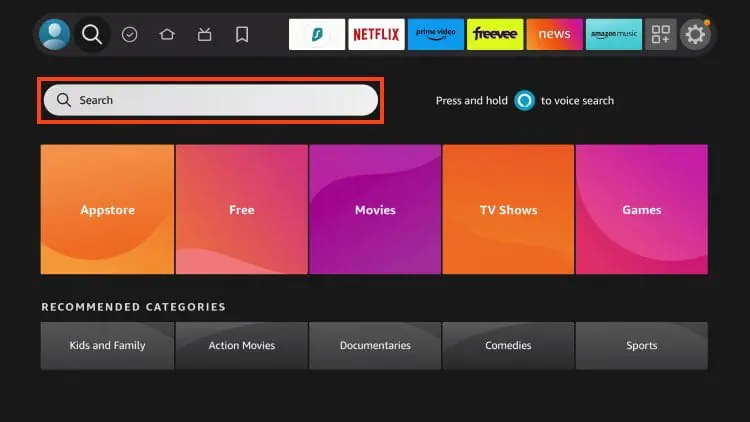
- Obtain the APK from a source you can verify and trust.
- Transfer or download the APK onto the Android device where it will be installed.
- If Android blocks the installation, review the device's permission for the app being used to open the APK.
- Install the package and wait for Android to complete the installation.
- Open OTT Navigator and confirm that the app starts before adding your playlist.
The exact permission screens differ between Android versions and device manufacturers. Do not disable security controls broadly or install a package simply because a download page claims it is “premium”, “cracked”, or “unlocked”.
Android TV, Google TV, and Fire TV
OTT Navigator's FAQ says the app runs on Android and specifically supports Android TV and Google TV. It also documents using Android-based TV boxes and Fire TV devices. TV devices can have different installation and file-access behavior from phones, so use the device guide that matches your hardware rather than assuming a phone installation process will be identical.
Do not confuse installation with IPTV setup
A successful APK installation only confirms that the player is installed. The next layer is connecting an authorized source. OTT Navigator's documented provider workflows include M3U/M3U8 playlists and Xtream Codes.
| Stage | Question to answer |
|---|---|
| Installation | Does OTT Navigator open normally? |
| Playlist/provider | Do you have an M3U URL, playlist file, or supported provider credentials? |
| EPG | Does your source provide guide data, and is it mapped correctly? |
| Playback | Can several channels actually play? |
What “download OTT Navigator” actually means
Search queries such as “OTT download”, “download OTT”, and “OTT Navigator APK” can describe different tasks. The useful first question is whether you need the normal store app, the documented standalone build, or help installing an APK that you already have.
| Your situation | Start with | Why |
|---|---|---|
| Compatible app store is available | The published OTT Navigator listing. | Normal installation and update path. |
| Device needs a standalone build | The current official FAQ and its documented standalone route. | Standalone details can change, so old mirrors and copied codes can become stale. |
| APK is already downloaded | Android's installation permissions, package compatibility, and storage. | The download itself is no longer the problem. |
| App opens but channels are missing | Playlist/provider configuration. | Re-downloading the application does not replace the IPTV source. |
Common OTT Navigator download problems
| Problem | What to investigate | Avoid |
|---|---|---|
| APK will not install | Package source, Android compatibility, storage, and installation permission. | Installing multiple unknown APKs until one works. |
| App installs but will not open | Device compatibility, installation integrity, and whether the problem started after an update. | Assuming the IPTV provider caused an app-launch failure. |
| App opens but no channels appear | Playlist/provider configuration. | Reinstalling the APK repeatedly. |
| Channels load but playback fails | Stream, provider, network, device, or playback layer. | Treating the download itself as the cause without testing the source. |
What about “OTT Navigator mod APK” or “premium APK”?
Search results may use terms such as “mod APK”, “premium APK”, “pro APK”, or “unlocked APK”. These describe modified packages rather than the normal installation path. This site does not host or recommend cracked or modified APK files.
If you need premium features, use the legitimate premium/account process documented by the product. Do not give IPTV credentials or payment information to an APK source you cannot verify.
What to do after installation
Official sources
For current app capabilities, distribution details, and documented settings, verify details against the product's published resources.